Kliknij by skopiować
Licencja
Usługi i rozszerzenia
Ekspresową instalację modułu wykonujemy w 1-3 dni robocze. Instrukcję samodzielnej instalacji modułu znajdziesz w Bazie Wiedzy na HelpDesk. 
To rozszerzenie pozwoli Ci używać i konfigurować moduł w wielu sklepach PrestaShop Multistore.
600,00 zł z VAT 487,80 zł netto
487,80 zł netto
600,00 zł z VAT
    488 punktów w Programie Lojalnościowym
    Wsparcie
    i aktualizacje Otrzymasz 3-miesiące dostępu do profesjonalnego wsparcia, które możesz przedłużyć, gdy będziesz go potrzebować.
    Natychmiastowy
    dostęp Dostęp do plików modułu otrzymasz natychmiast po płatności
    Faktura
    VAT Do zamówienia otrzymasz fakturę VAT
    Opis szczegółowy


    Nowoczesny edytor opisów

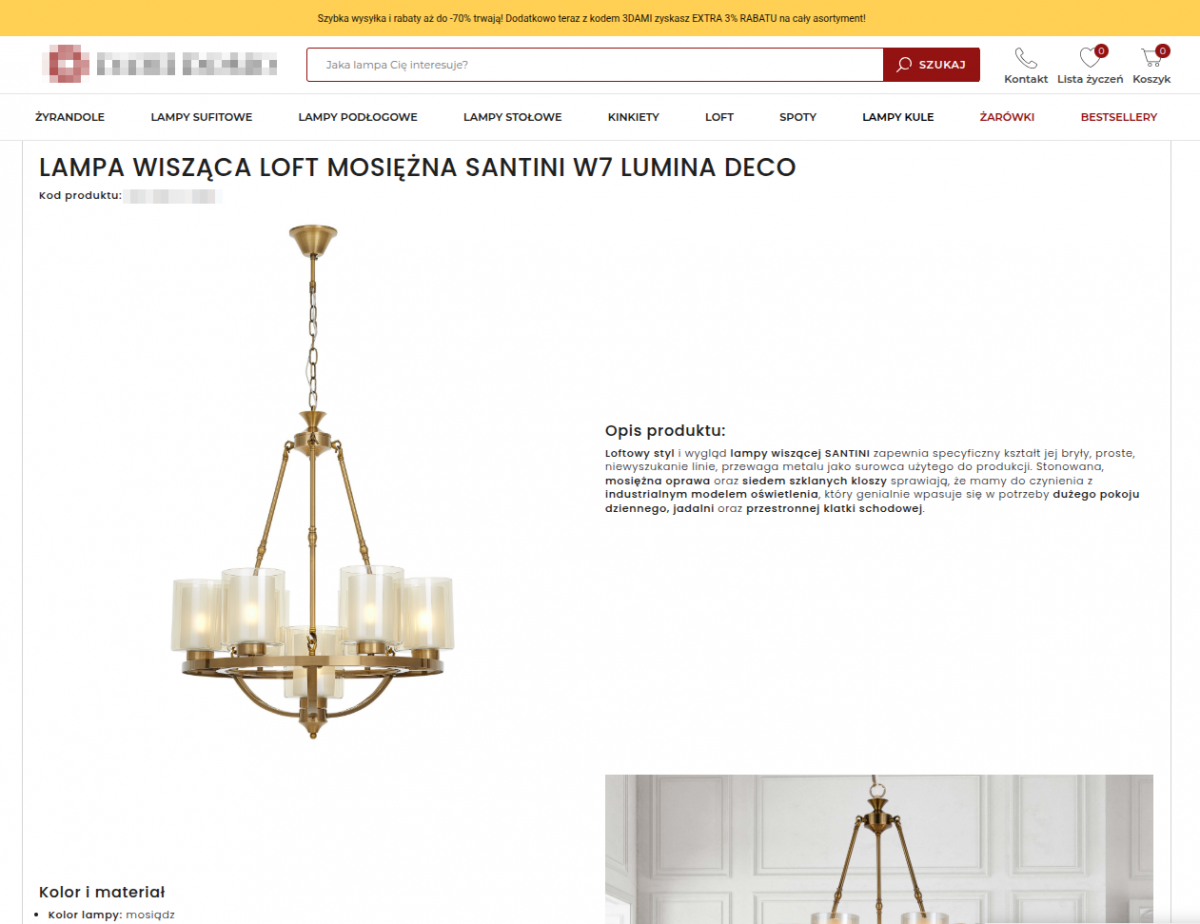
    Interaktywne treści i układy perfekcyjnie na desktop i mobile

    Nowoczesne układy, angażujące opisy

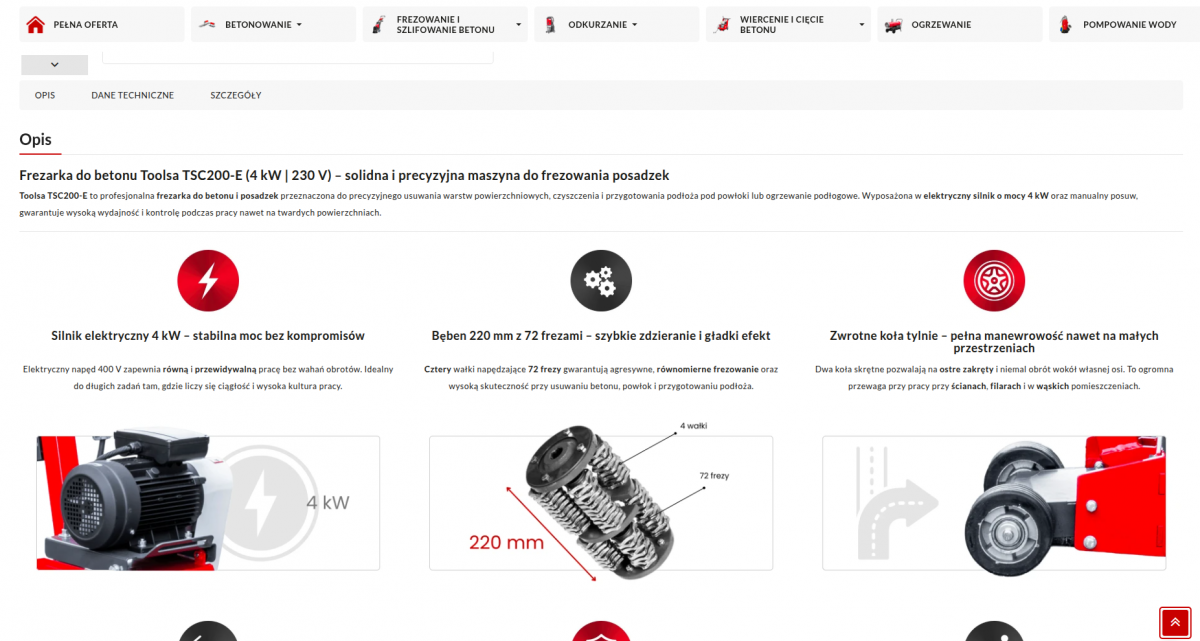
    W łatwy sposób twórz opisy o dowolnych układach i stylach. Mieszaj treść z multimediami. Wykorzystaj gotowe szablony lub twórz własne modyfikacje.

    Bogata zawartość 🔥

    Projektuj dowolne układy - mieszaj tekst z zdjęciami i filmami, wykorzystaj emotikony, listy, tabele lub wstawiaj produkty z sklepu... to oraz wiele więcej odkryje przed Tobą nowoczesny edytor dla PrestaShop.

    100% Responsywność 

    Wszystkie szablony, układy i elementy w opisach są responsywne i prezentują się perfekcyjnie na mobile i desktop.

    Poprawne SEO

    Edytor tworzy lekki, czysty i poprawny SEO kod, bez skryptów, ociężałych zagnieżdżeń i kodu inline.
    2507859072.thumbnail.gif
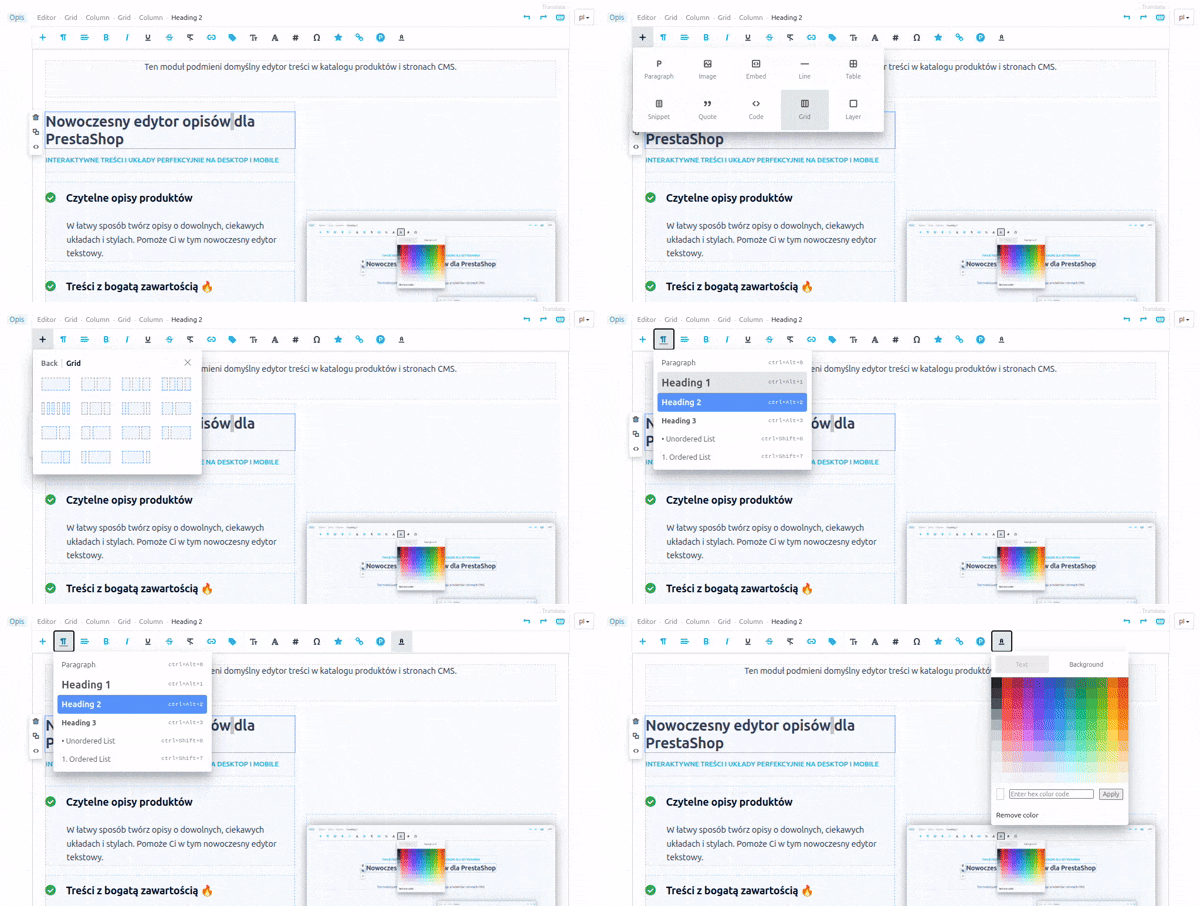
    Ten moduł podmieni domyślny edytor treści w katalogu produktów i stronach CMS.

    Opisy 
    tworzone
    za pomocą edytora
    4035830916.1200w.png
    826787356.1200w.png
    106618590.1200w.png
    3963038361.800w.png
    1099780583.1200w.png
    2773880995.480w.png
    457010068.800w.png

    Wygodny interfejs, szybka edycja

    Przyciągające opisy na wszystkich urządzeniach

    2830432394.thumbnail.gif

    Menu główne

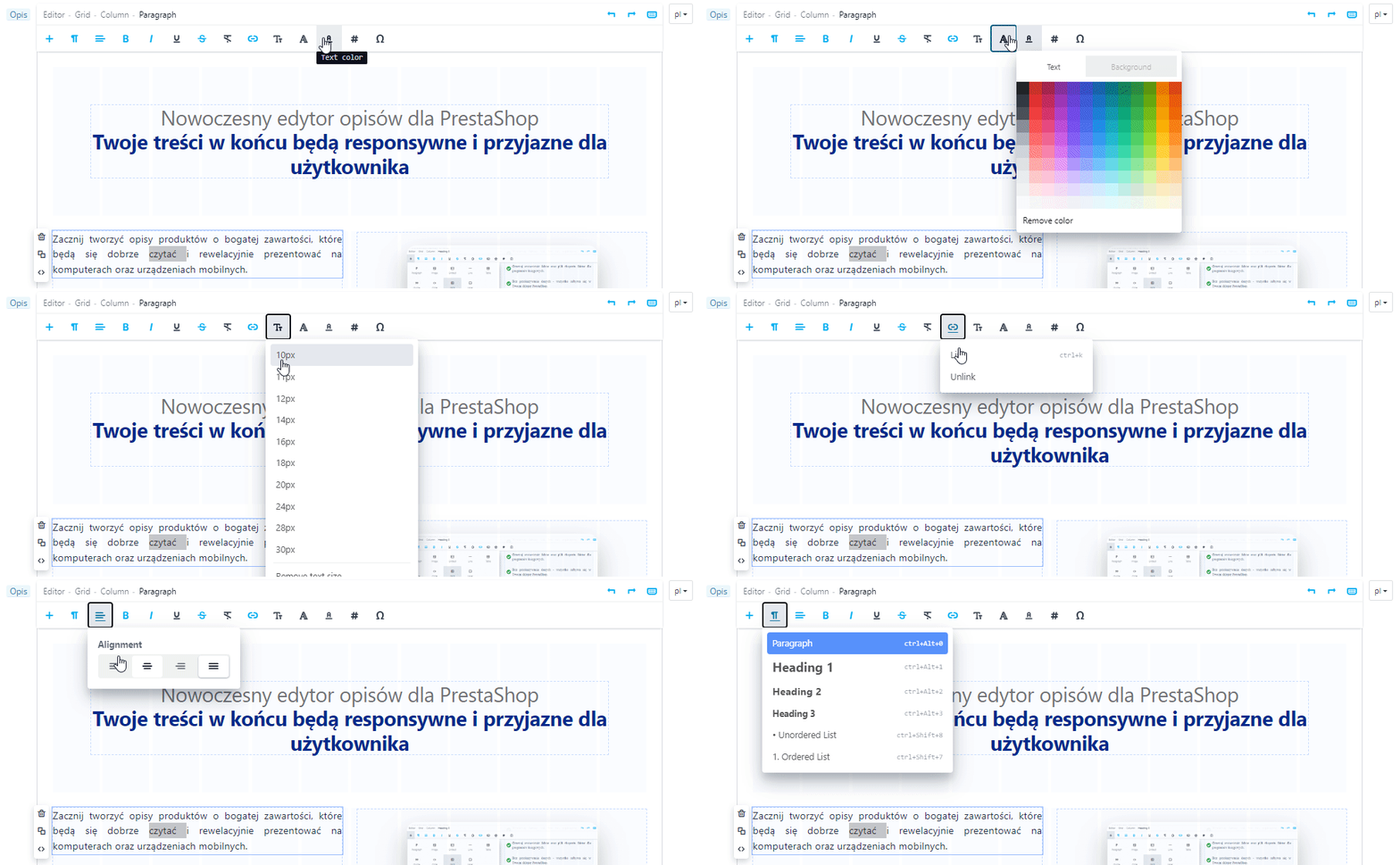
    Kliknij w dowolnym miejscu opisu, aby w głównym menu pojawiły się dostępne dla tego miejsca narzędzia edytorskie. Z inteligentnym menu masz więcej czasu na tworzenie, a nie na szukanie i sprawdzanie.
    1045811882.thumbnail.png

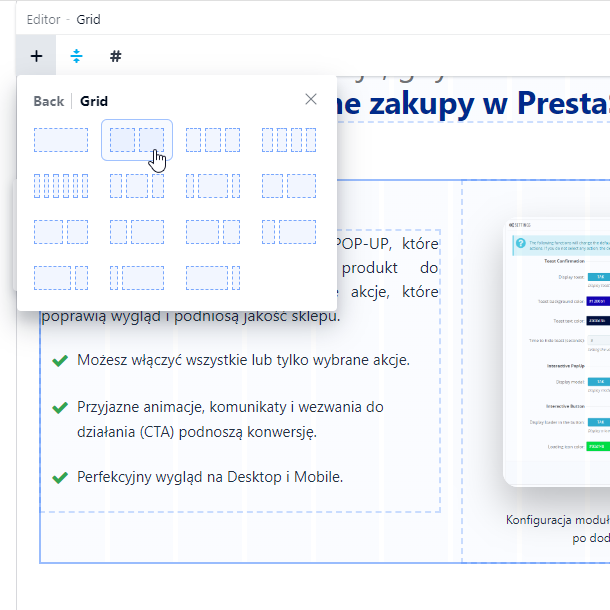
    Bogaty wybór układów

    Dostępne narzędzia pozwolą Ci w elastyczny sposób tworzyć ciekawe układy i opisy wzbogacone o zdjęcia, filmy i inne elementy.
    3223022569.1200w.png

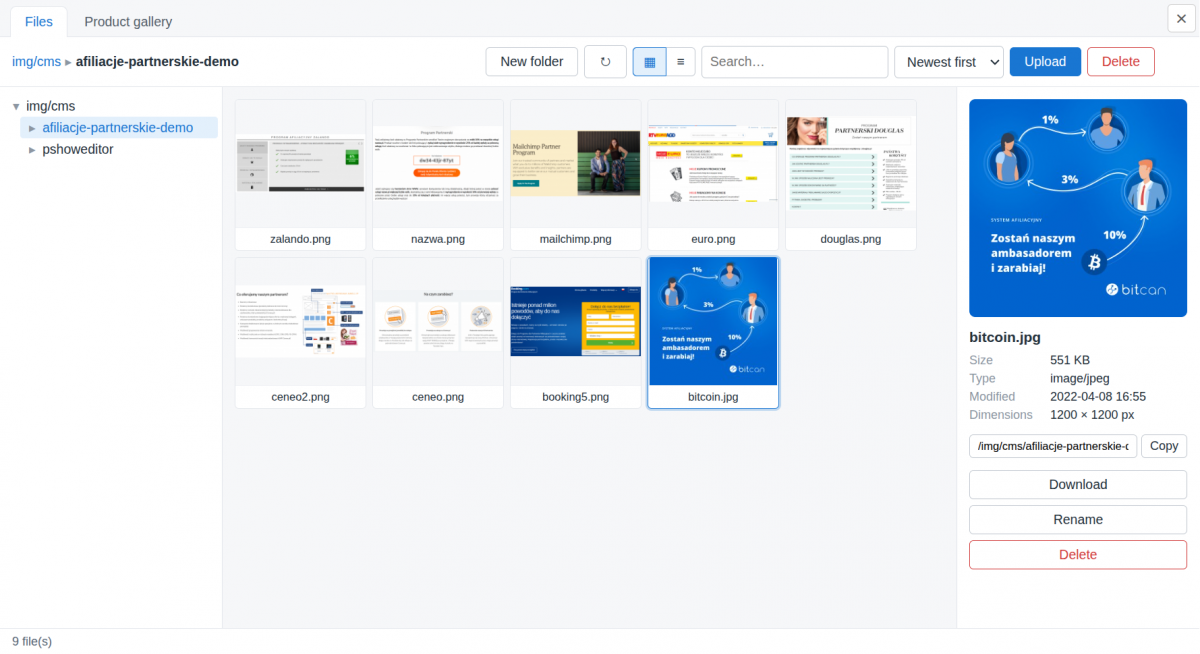
    Menadżer plików

    Wygodnie porządkuj i zarządzaj plikami, których używasz w trakcie tworzenia opisów

    Pliki używane w opisach produktów są automatycznie tagowane produktem.

    Menadżer plików obsługuje popularne formaty grafiki, zdjęć, dokumentów i archiwów.
    3768100485.480w.png

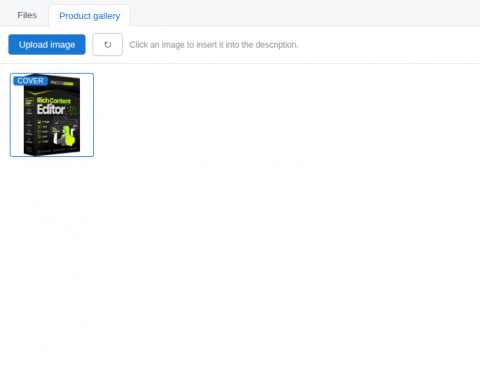
    Synchronizacja zdjęć z galerią produktu

    Możesz oznaczyć zdjęcia, które chcesz, aby pojawiły się w galerii produktu

    oraz wykorzystać zdjęcia, które znajdują się w galerii produktu.

    Zdjęcia użyte w opisie produktu mogą być synchronizowane z galerią zdjęć produktu.

    Szybka praca nad wciągającymi opisami

    Zwinny i wygodny

    Edytor zawiera funkcje edytorskie, które występują w najpopularniejszych narzędziach do tworzenia treści. 

    • Obsługa skrótów klawiaturowych i cofania zmian (CRTL+Z).
    • Obsługa własnego HTML i CSS.
    • Mieszaj i przenoś bloki tekstu oraz multimedia w opisie korzystając z metody Drag & Drop.
    • Przeciągnij i upuść lub wklejaj (Ctrl+V) treści, zdjęcia i grafiki bezpośrednio w oknie edytora..
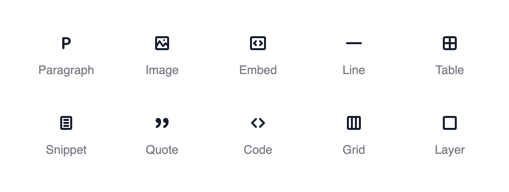
    Add Block
    Bogaty wybór contentu, który możesz umieścić w treści
    2733834457.thumbnail.gif

    Menu sekcji oraz elementu, który edytujesz

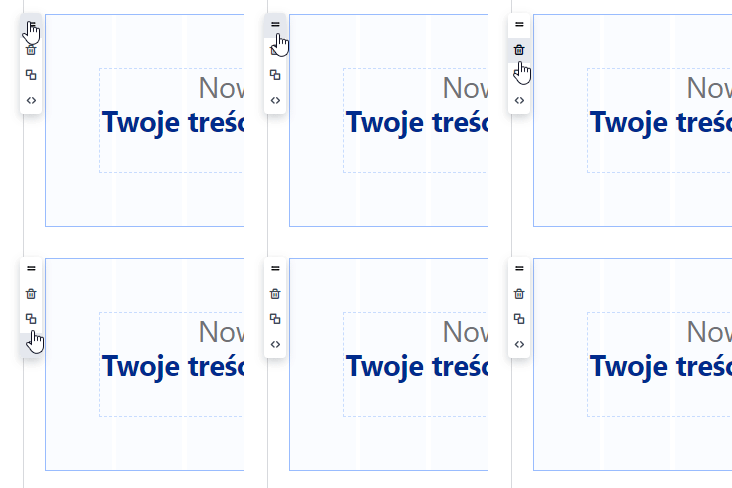
    Każda sekcja oraz element opisu posiada menu podręczne: Przenieś metodą Drag & Drop, Usuń, Duplikuj, Podejrzyj i edytuj kod HTML i CSS wybranego elementu.

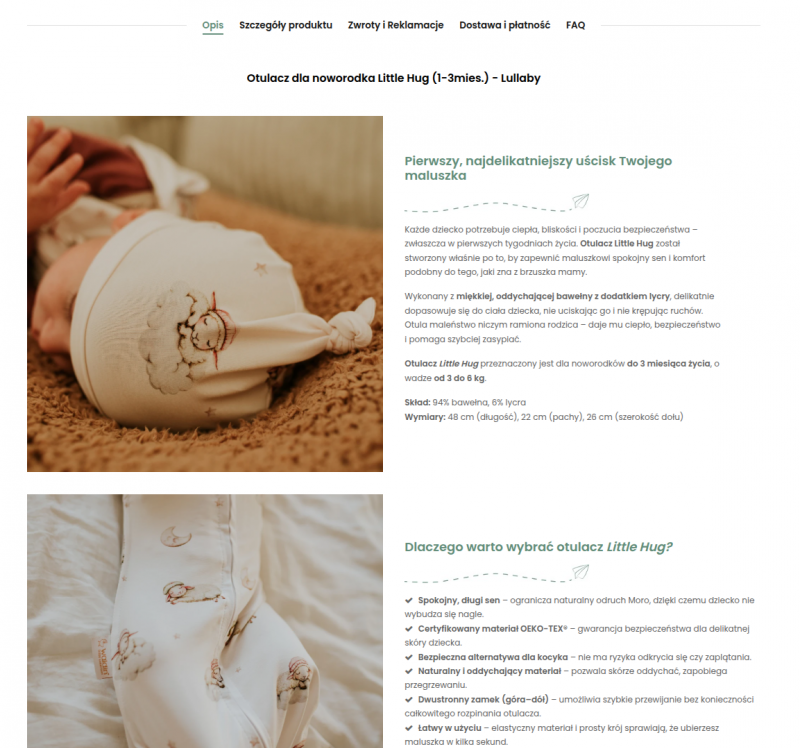
    Nie popsuje opisów, które już są w sklepie

    Moduł widzi istniejące opisy i nie zmienia ich struktury oraz wyglądu do chwili, aż postanowisz je edytować, aby nadać im nowy układ i formę.
    3398302860.800w.png
    PrestaShop Rich Editor

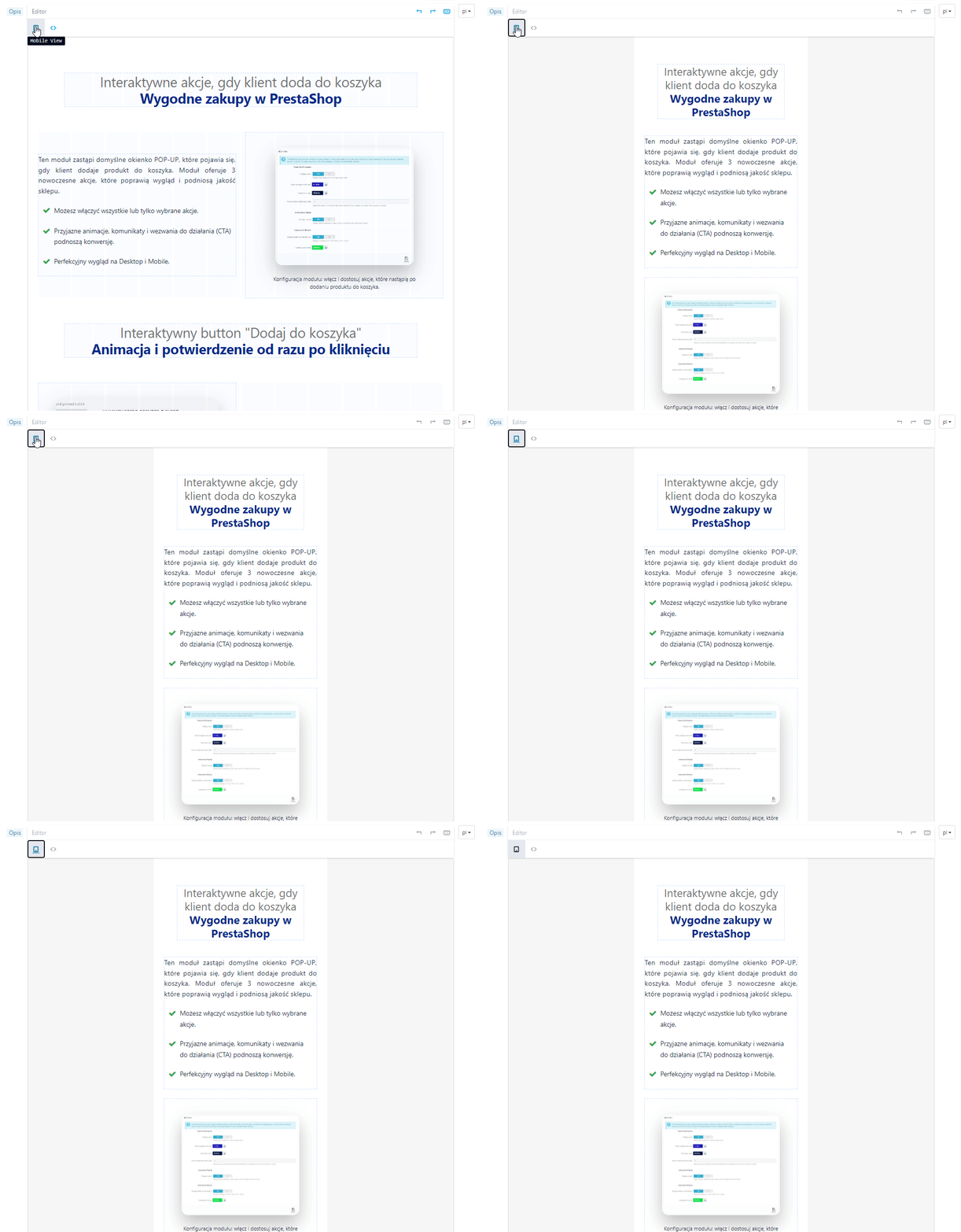
    Podgląd w wersji desktop i mobile
    - już w trakcie tworzenia!

    Tworzone treści prezentują się perfekcyjnie na dużych ekranach i urządzeniach mobilnych. W trakcie tworzenia opisu możesz przełączać się pomiędzy widokami Desktop oraz Mobile.

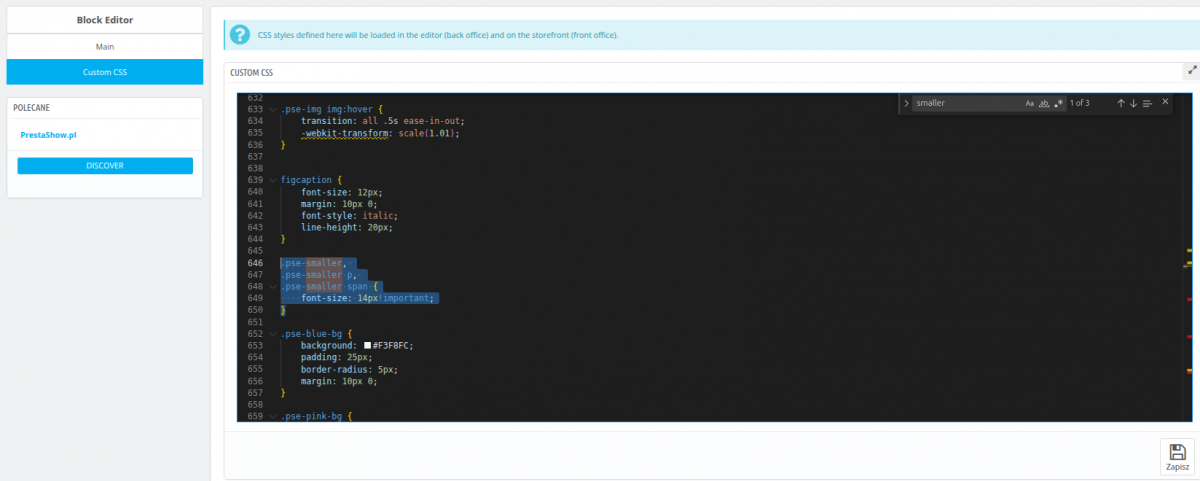
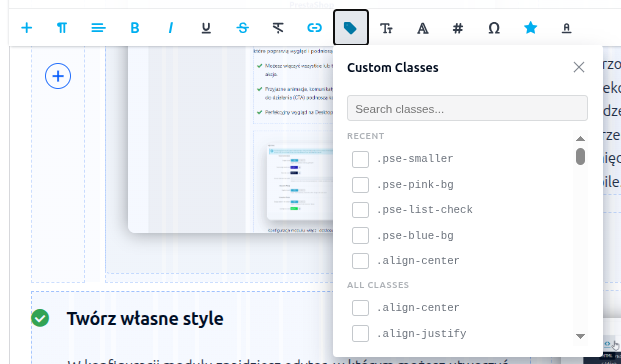
    Twórz i wykorzystuj własne style CSS

    W konfiguracji modułu znajdziesz edytor, w którym możesz utworzyć własne style CSS. W trakcie tworzenia opisów wybierz element opisu, a następnie nadaj mu swój własny styl - szybko i wygodnie!
    1742918037.thumbnail.png
    59643025.thumbnail.png

    Przyjazny dla programistów

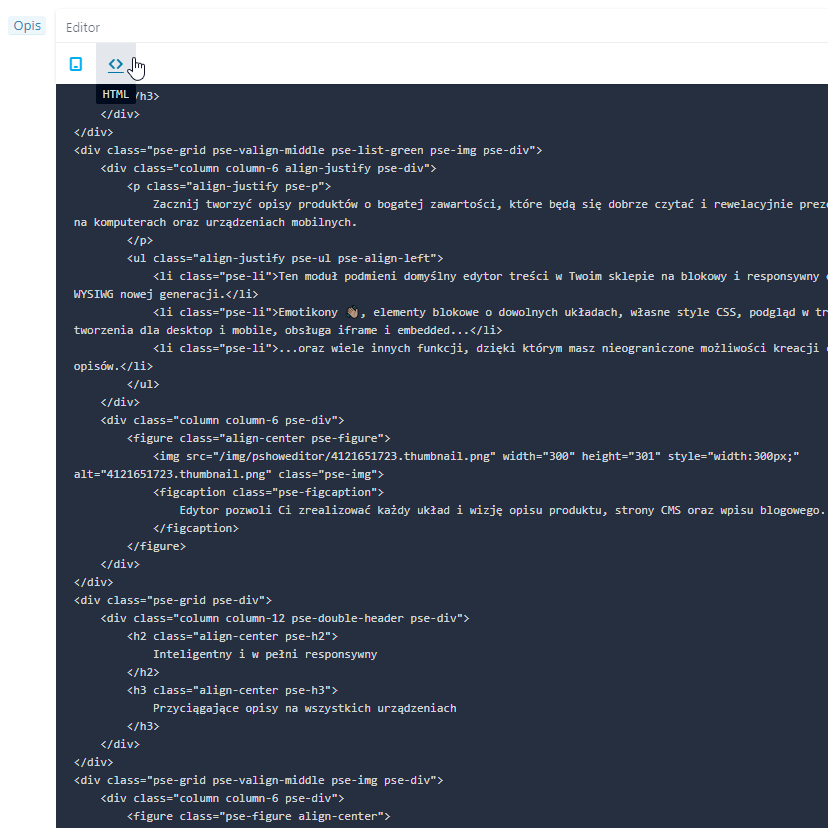
    Moduł generuje lekki kod, eliminuje zapętlenia oraz usuwa nieużywane tagi. Kod, który trafia na front Twojego sklepu jest lekki i zaprojektowany zgodnie z dobrymi praktykami Google Guidelines.

    • Podgląd i edycja całego kodu
    • Podgląd i edycja kodu dla wskazanego elementu.
    PrestaShop Description Code Formatter
    1814340089.480w.png

    Wstawiaj produkty w treściach i opisach

    Wykorzystaj katalog produktów

    Edytor pozwoli Ci wstawiać produkty z Twojego sklepu.

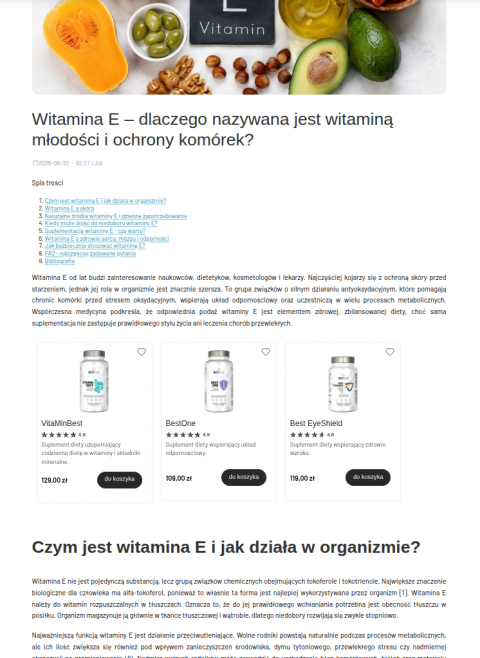
    • W opisach produktów, kategorii, CMS, wpisach blogowych.
    • Pojedynczy produkt w dowolnym miejscu.
    • Slider z wieloma produktami.

     🚀 Conversion Booster

    Ten moduł ułatwia tworzenie opisów, dzięki którym zrealizujesz ciekawy story telling nt. Twoich produktów, usług i wartości, które dostarczasz swoim klientom. 

    2193998487.800w.png
    PrestaShop AI description editor i generator

    Zautomatyzuj swoją pracę

    Sztuczna inteligencja

    Generowanie treści z PrestaShop AI Generator

    Za pomocą Generatora AI szybko stworzysz wysoko konwertujące opisy produktów. Generuj treści na podstawie danych w sklepie lub zleć wyszukanie dodatkowych informacji w Internecie.

    🔗 Zobacz moduł PrestaShop AI generator

    Tłumaczenie w 27 językach z PrestaShop Translator

    Błyskawiczne tłumaczenie treści, które właśnie edytowałeś lub masowe tłumaczenia opisów, nazw, kategorii i szablonu. Tłumaczenia pozostaną w bazie Twojego sklepu i pozytywnie wpłyną na SEO i zagraniczne wyniki wyszukiwania.

    PrestaShop instant translator

    🔗 Zobacz moduł PrestaShop Translator

    % Razem taniej!

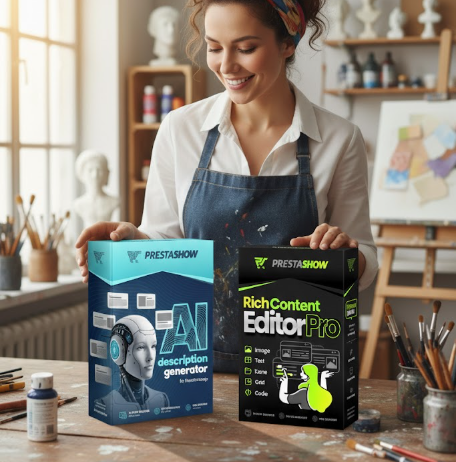
    Kup zestaw 2 lub 3 modułów: Edytor + Generator  AI + Translator

    W koszyku użyj kodu EDITORCOMBO aby otrzymać 25% rabatu na zestaw 2 lub 3 modułów!


    Wiele drobnych możliwości

    PShowEditor może zrobić więcej.

    Statusbar

    W górnej części edytora znajduje się pasek z przyciskami, które dobierają się w zależności od wskazanego elementu. Znajdziesz tu również breadcrumb wskazujący ścieżkę do elementu, który kliknąłeś w opisie.

    Osadzanie filmów i shortów

    Wstawianie map Google, responsywnego wideo YouTube lub dowolnego kodu inne kodu embedded z zewnętrznych portali

    Skróty klawiaturowe

    Wbudowane skróty klawiszowe obsługują wszystkie operacje edytorskie dostępne w module.

    Wbudowane Google Fonts

    Moduł obsługuje Google Fonts oraz klasyczne czcionki Windows/Apple.

    Tworzenie tabel

    Edytowanie tabel, parametrów komórek, dodawanie wierszy.

    Twój własny CSS

    Style pozostają niezmienione, dzięki korzystaniu z stylów CSS, Twojego szablonu.

    Zdjęcia - dodaj z dysku lub przeciągnij 

    Przeciągnij i upuść zdjęcia bezpośrednio do edytowanej treści lub wstaw według adresu URL.

    Wklejanie i kopiowanie

    Pełna kontrola nad wklejanym tekstem z czyszczeniem nadmiarowego kodu z MS Word. 

    Twoje własne style CSS

    Utwórz własne style CSS, które chcesz wykorzystywać w edytorze. Twoje style będą dostępne i widoczne w edytorze oraz na froncie sklepu.

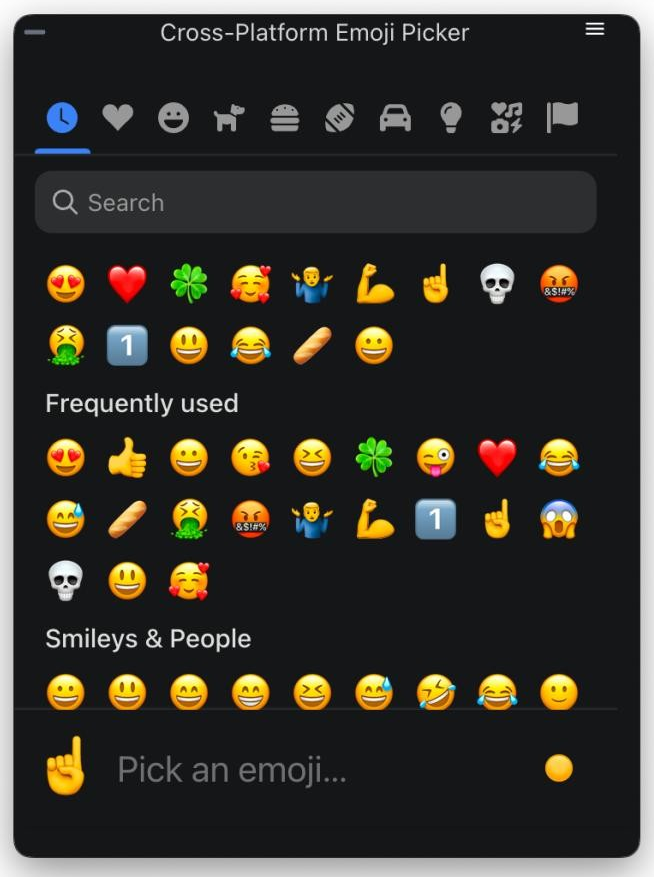
    Obsługa emotikon
    420606398.thumbnail.png

    Potrzebujesz indywidualnego dostosowania?

    Zadaj nam pytanie o wycenę indywidualnego wdrożenia lub generowania AI nowych opisów w Twoim sklepie.

    PShowEditor działa z innymi modułami PrestaShow

    SEO Blog

    Prowadź bloga, który wspiera sprzedaż. Umieszczaj produkty we wpisach, a wpisy w dowolnych miejscach sklepu.

    1.webp

    Translator

    Automatyczny tłumacz treści. Moduł wykrywa kod HTML i CSS oraz tłumaczy na bieżąco zmiany, które właśnie wprowadziłeś w swoim sklepie wprowadzasz.
    prestashop-translator-automatyczne-tluma

    Zakładki i sekcje

    Twórz dodatkowe zakładki na stronach produktów. Zarządzaj masowo globalnymi informacjami o produktach lub informacjach, które chcesz pokazać na stronach produktów.

    7.webp

    Spis treści

    Generuj automatycznie spis treści z nagłówków H1-H6. Spis wykorzystasz dla długich opisów produktowych, stron CMS oraz wpisów blogowych.
    86.webp
    Changelog (v1.8)
    ## 1.10.9 — 2026-08-19
    - Fix: image sizes

    ## 1.10.8 — 2026-07-31
    - Fix: compatibility with the pshowblog module

    ## 1.10.7 — 2026-07-16
    - Fix: images inserted by the editor were not responsive — the sizes attribute was capped at a hardcoded 800px, so browsers never loaded srcset variants larger than 800w and upscaled (blurred) images on content columns wider than 800px. The editor library now caps sizes at the largest srcset candidate and generates additional variants up to 1920w, so full-width images stay sharp on wide desktop layouts. Also fixed the image resize handle producing a malformed sizes value when the image width was set as a percentage (e.g. 100%). Note: sizes is stored in the page HTML when an image is inserted, so images already present in existing content pick up the fix after re-inserting the image or adjusting its size in the editor.

    ## 1.10.6 — 2026-07-03
    - Fix: the module now overrides PrestaShop's search indexer so that words in adjacent block-level elements (paragraphs, list items, headings) are separated by a space during indexing. Previously, strip_tags() merged adjacent blocks without spacing — for example a product description with <p> blocks and special characters such as ◆ resulted in words fusing into unsearchable tokens. On update from an older version the override is now registered automatically, not only on a fresh install.

    ## 1.10.5 — 2026-07-03
    - Improvement: Custom CSS is now published to the storefront deterministically. The cache file name is derived from the CSS content itself, so clearing the shop cache no longer drops or duplicates it; the file is written when you save and is re-created automatically if it ever goes missing (for example after a deploy). If it cannot be written — e.g. the theme's cache folder is not writable — the back office now shows a clear warning explaining why the styles are not appearing on the storefront.
    - Change: Custom CSS is now a single stylesheet applied to every shop (the same CSS shop-wide), instead of being stored per shop. On update, your existing Custom CSS is carried over automatically.

    ## 1.10.4 — 2026-07-03
    - Fix: your own Custom CSS (Block Editor → Custom CSS) is now applied on the storefront on PrestaShop 1.7 and newer. The stylesheet was being attached with an old method that modern front-office themes no longer render, so the classes you defined only worked inside the editor and never took effect on the live pages. It is now loaded through the theme's asset manager (so it is also combined by "Smart cache for CSS"), with a high priority so your rules win over the theme's.
    - Improvement: the Custom CSS screen now explains that these styles load on the whole storefront, recommends prefixing your own classes/IDs (e.g. `pse-`), and clarifies that this box is only for styling editor content — not general theme styles.

    ## 1.10.3 — 2026-07-02
    - Fix: editor content (text blocks, product descriptions, home sections) is styled correctly on the storefront again — on PrestaShop 1.7 and newer the editor's front-office stylesheet was not being loaded, so blocks and their custom classes appeared unstyled.

    ## 1.10.2 — 2026-07-01
    - Fix: the "Product gallery" tab now also appears on PrestaShop 1.7.8, where the product edit URL has no "/edit" suffix and was not recognised as a product page.

    ## 1.10.1 — 2026-07-01
    - Feature: On product pages the editor's file manager now has a "Product gallery" tab — browse the product's own photos, click one to insert it into the description, or upload a new photo straight into the product gallery.
    - Fix: the rich editor no longer silently falls back to the basic editor when its own assets get blocked by a regenerated vendor access rule — the module now restores access to its static assets automatically.

    ## 1.9.6 — 2026-06-16
    - Fix: The editor no longer fires a redundant background product request for every page element that carries a product id (for example a "lowest price in 30 days" badge). Only real product blocks placed with the editor now load product data, which removes a large volume of needless requests that were overloading the server, especially under crawler traffic.
    - Fix: The editor's storefront script now refreshes right after a module update, even behind a CDN cache such as Cloudflare, so fixes take effect immediately.
    - Security: The editor's product-data endpoint is now excluded from search-engine indexing and only answers same-origin requests.

    ## 1.9.5 — 2026-06-02
    - Fix: File manager no longer returns `PathGuard: outside root` when opening the `pshoweditor` folder (and could not list, rename or delete anything inside it). The old image location `img/pshoweditor` is mounted into the manager root via a backward-compat symlink (`img/cms/pshoweditor`), but `realpath()` resolves that symlink outside the root, so the path guard rejected it. The guard now validates resolved paths against an explicit allowlist of roots (the manager root plus the legacy location), keeping full traversal protection — symlinks to any other location are still refused.

    ## 1.9.4 — 2026-06-02
    - Fix: Block editor on a multilingual `autoload_rte` field (e.g. cz_bannercmsblock's "Text block") no longer stays collapsed after switching to a non-default language. PrestaShop renders one editor per language with the non-default ones inside a hidden wrapper, so those editors initialised at 0 height; switching the language tab only toggles `display` and never told the editor to recompute, leaving the content clipped and unscrollable. A back-office watcher now re-runs the editor's own height calculation whenever a language tab becomes visible.

    ## 1.9.3 — 2026-05-21
    - Fix: File manager listings no longer show auto-generated `.webp` and `.avif` companions next to a raster original (`.jpg`/`.jpeg`/`.png`/`.gif`). PS 8+/9 and similar tooling write these next to the upload automatically, so the listing was showing each photo two or three times — on a 12k-file shop folder this dropped from 5524 visible entries to 2170. Lone `.webp` / `.avif` uploads (no raster sibling) stay visible; `.gif` originals are never affected. The hidden variants remain on disk and continue to drive the editor's `srcset`.

    ## 1.9.2 — 2026-05-21
    - Fix: File manager could time out when opening folders with thousands of images. The folder-listing manifest called `finfo_file()` on every entry (one disk read per file, ~10s on a 12k-file folder, much worse on shared hosting), and its on-disk cache invalidated itself on every read whenever the build took longer than one wall-clock second. MIME is now derived from the filename for known image types and cache freshness is keyed off the manifest file's own mtime, so big folders open in a fraction of a second on first load and instantly on repeat loads.

    ## 1.9.1 — 2026-05-20
    - Fix: Register the new `PShowEditorFileManager` admin tab during upgrade, so shops updating from 1.8.x stop seeing "Page not found" when opening the file manager from the editor (fresh installs were unaffected).

    ## 1.9.0 — 2026-05-18
    - Feature: New file manager replacing PrestaShop's RFM and the article-editor built-in picker. Paginated, virtual-scrolled, instant on folders of any size.
    - Remove: `PSE_USE_FILE_MANAGER` setting (always on now).

    ## v1.8.11 - 2026-05-15
    ### Fixed
    - Preserve `tel:` and `mailto:` links in product/CMS descriptions by explicitly whitelisting them in HTMLPurifier's allowed URI schemes.

    ## v1.8.10 - 2026-05-04
    ### Changed
    - Increased character limit for custom CSS

    ## v1.8.9 - 2026-03-17
    ### Changed
    - Monaco CSS editor now bundled locally via Webpack

    ## v1.8.8 - 2026-03-13
    ### Fixed
    - Fixed Custom CSS saving so backslashes like \f00d are preserved correctly.
    - Improved Custom CSS cache rebuild when cache file is missing.
    - Updated block editor to sync when textarea is changed by external scripts via change or input.

    ## v1.8.5 - 2026-03-10
    ### Added
    - Automatically generate multi-size thumbnails when uploading new images in editor
    - Use srcset in `` if image has multi-size thumbnails

    ## v1.8.4 - 2026-02-27
    ### Added
    - Image manager selection in module settings

    ## v1.8.3 - 2026-02-26
    ### Changed
    - Custom CSS file moved to theme cache directory to avoid permission issues

    ## v1.8.2 - 2026-02-24
    ### Added
    - backward compatibility for images uploaded via legacy image manager

    ## v1.8.1 - 2026-02-24
    ### Updated
    - small fixes and polishing

    ## v1.8.0 - 2026-02-23
    ### Added
    - Custom CSS editor tab with Monaco code editor (syntax highlighting, fullscreen mode)
    - CSS class picker — apply custom CSS classes to blocks directly in the editor
    ### Changed
    - Image management via standard PrestaShop File Manager (instead of custom upload)
    - Custom CSS is now stored in the database (migrated automatically from theme file)
    ### Removed
    - Custom image upload/list system (replaced by PrestaShop File Manager)

    ## v1.7.6 - 2026-02-17
    ### Updated
    - small fixes and polishing

    ## v1.7.5 - 2026-02-13
    ### Updated
    - Сomposer.lock file

    ## v1.7.4 - 2026-02-05
    ### Fixed
    - Image upload and image list in back-office on PrestaShop 9

    ## v1.7.3 - 2025-11-12
    ### Fixed
    - The compatibility problem with prestashop 1.6


    ## v1.7.2 - 2025-04-22
    ### Added
    - Font color - custom hex text color input

    ## v1.7.1 - 2025-03-28
    ### Added
    - Product block - display add to cart button

    ## v1.7.0 - 2025-03-26
    ### Added
    - Product block - block with product information - product name, price, cover image, link to the product page
    - Block link - whole block containing images and texts can be a link

    ## v1.6.1 - 2025-01-14
    ### Fixed
    - PShowTranslate support

    ## v1.6.0 - 2025-01-09
    ### Added
    - Icons

    ## v1.5.3 - 2024-12-20
    ### Fixed
    - Editor was not working on some product edit pages in prestashop 8.1

    ## v1.5.2 - 2024-08-04
    ### Fixed
    - Problem with non-editable div

    ## v1.5.1 - 2024-07-10
    ### Added
    - Watch for changes made by jquery in the input fields

    ## v1.5.0 - 2024-07-10
    ### Added
    - Support dynamically changed input value by other scripts

    ## v1.4.0 - 2024-03-11
    ### Added
    - Font color
    - Font size
    - Font family

    ## v1.3.2 - 2024-01-02
    ### Fixed
    - There was a problem with saving the entered content

    ## v1.3.0 - 2023-12-14
    ### Added
    - Configuration switch: Enlarge image when clicked
    ### Fixed
    - Image positioning

    ## v1.2.1 - 2023-12-07
    ### Added
    - Show window with big image on click

    ## v1.2.0 - 2023-12-01
    ### Fixed
    - Fix image uploading
    - Fix sticky toolbar on prestashop 1.7
    - Fix image resizing

    ## v1.1.4 - 2023-11-28
    ### Fixed
    - Fix image uploading

    ## v1.1.3 - 2023-11-23
    ### Fixed
    - Fix front CSS

    ## v1.1.1 - 2023-10-19
    ### Fixed
    - Fix CSS

    ## v1.1.0 - 2023-07-04
    ### Added
    - Add support for Prestashop 1.6

    ## v1.0.1 - 2023-06-21
    ### Added
    - Add more function to editor: image resizing, image position, remove text formatting, special chars, character counter
    ### Fixed
    - Prevent throwing exception when route is not found - module will show alert that you need to clear cache

    ### Added
    - Module replaces the standard editor with the rich block editor
    Komentarze ()
    Opinie zamieszczane w naszym sklepie nie są w żaden sposób sponsorowane. Weryfikujemy również, czy zostały dodane przez klientów, którzy dokonali u nas zakupów. Jeśli chcesz dowiedzieć się więcej na ten temat zapoznaj się z naszym Regulaminem.
    prestashow.pl
    2026-08-19
    Klient, poniżej odpowiedzi na Twoje pytania:
    ad. 1. oraz 2.: Moduł posiada system zapisania utworzonego opisu jako szablon. Tworząc opis w innym miejscu można użyć zapisanego szablonu.
    ad. 3 Wszystkie pola PrestaShop, które posiadają edytor standardowy są obsługiwane przez nasz moduł - edytor jest podmieniany na nasz.
    Klient
    2026-08-19
    1. Czy moduł posiada własne szablony opisów
    2. Czy można zapisać własny indywidualny układ opisu i używać go w kolejnych opisach aby stworzyć spójny układ i styl bez pamiętania co było w jakiej kolejności itd.
    3. W których miejscach sklepu można korzystać z tego modułu oprócz opisów produktów ? Czy moduł działa wszędzie tam gdzie edytuję treść czy to w opisie produktu czy pole tekstowe zewnętrznego modułu ?
    Robert
    2026-03-22
    Dziękujemy za dostosowanie wbudowanego edytora CSS do naszej leciwej Presty 1.6 😊 Moduł rewelacja! P O L E C A M Y ‼️‼️
    Andrei
    2026-01-30
    Excellent module
    Viktor
    2026-01-26
    👍🏼🗯️
    Marek
    2025-05-23
    The module is very useful.
    However, the approach to the customer is unfortunately already on a poor level. Support expires after 3 months and I FULLY understand that.
    But developer demands 300 PLN from the customer just to answer a very simple question ‘Is such a change feasible / not feasible’. I want to pay you for the modification, but to pay 300 zloty for 5 min of work? PrestaShow, don't do business that way.
    prestashow.pl
    2025-05-09
    Customer, our module work everywhere, where PrestaShop (and modules) use default PrestaShop's WYSIWYG.
    Customer
    2025-05-09
    Does your wysiwyg 2.0 module work on custom fields? I'd like to add it to 3 custom fields I've created in the back office of a product page.
    PZ
    2025-02-18
    better than default
    Jose M
    2025-02-18
    V. good 👍👍👍
    Dariusz W
    2024-09-24
    Korzystamy z tego modułu od początku istnienia sklepu. Jego możliwości przerosły nasze oczekiwania. Umożliwia tworzenie dowolnie zbudowanych opisów. POLECAM.
    Grzesiek
    2024-03-05
    Tworzenie opisów i ich wygląd na mobile biją na głowę "Standard Presty". Bardzo dobry moduł. Polecam
    prestashow.pl
    2023-09-28
    Paweł, zapoznaj się z poniższym filmikiem na YouTube, aby zobaczyć całe te :-)
    https://www.youtube.com/watch?v=BV-rDtXw_Ug
    Pawel
    2023-09-20
    Rozumiem, że wasz moduł oferuje dosłownie całe nic? Skoro demo umożliwia test modułu to za to, nic tam nie ma. Czyli dostaje za 800 to co w wersji testowej - wielkie nic?

    Napisz komentarz lub pytanie

    Twoja aktywność może być pomocna dla społeczności. Dodając opinię wyrażasz zgodę na przetwarzanie swoich danych osobowych. Zapoznaj się z naszą Polityką Prywatności.

    • Rating:

    Wymagania techniczne

    Wymagania techniczne

    Wsparcie i aktualizacje

    Wsparcie = Aktualizacje + HelpDesk

    Otrzymujesz 90 dni (3 miesiące) dostępu do kompletnego pakietu wsparcia PrestaShow.

    Aktualizacje modułów
    Moduły poinformują Cię o dostępnych aktualizacjach. Zapoznaj się z listą zmian (changelog) i wykonaj aktualizację modułu 1-kliknięciem bezpośrednio w Twoim sklepie.

    Panel HelpDesk  
    To panel, w którym dostarczymy Ci pomoc. Na HelpDesk możesz zgłaszać problemy, zamówić darmową instalację i aktualizację modułu oraz zamawiać modyfikacje i indywidualne prace programistyczne.

    > > > Wydłuż wsparcie   
    Po wygaśnięciu wsparcia możesz korzystać z modułu bez żadnych ograniczeń. Dostęp do wsparcia możesz odnowić w dowolnym momencie, gdy będziesz tego potrzebował.

    Baza Wiedzy & FAQ

    Za darmo na zawsze

    Baza wiedzy  
    Jest dostępna dla wszystkich. Znajdziesz w niej dokumentacje modułów oraz instrukcje, filmy i odpowiedzi na najczęściej zadawane pytania. 

    Licencja

    Dożywotnia licencja na moduł

    Pełna treść licencji 

    Instrukcja obsługi panelu zarządzania modułami 

    Dodatkowe domeny dla Multistore

    • Wszystkie nasze moduły obsługują PrestaShop Multistore.
    • Obsługa nielimitowanej liczby domen dla PrestaShop Multistore wymaga zakupienia obsługi multistore dla modułu.

    Modyfikowanie kodu

    • Kod modułu związany z integracją ze sklepem oraz z wyglądem (.tpl, .css, .js) ma otwarty kod źródłowy i możesz go dowolnie modyfikować.
    • Kod źródłowy modułu (.php) szyfrowany jest ionCube, a jego modyfikacja wiąże się z utratą gwarancji.

    Demo

    Demo - przetestuj moduł

    • Ten moduł nie posiada sklepu demo

    Brak powiązanych wpisów blogowych.