





Tax number validation
The module automatically validates tax numbers in the European region:
- NIP
- VAT
- VAT-EU
- VAT-UK
- Company Number
0% VAT rate automation
The module sets the 0% VAT rate for B2B sales in the European Union if the tax number passes validation.
Automatic downloading of data from the Central Statistical Office
For Polish companies, the module will automatically populate the company's address data from the CSO database after entering the VAT number.
Friendly messages for customers
Background validation during first and subsequent purchases, and clear messages in the order process and in the customer account.
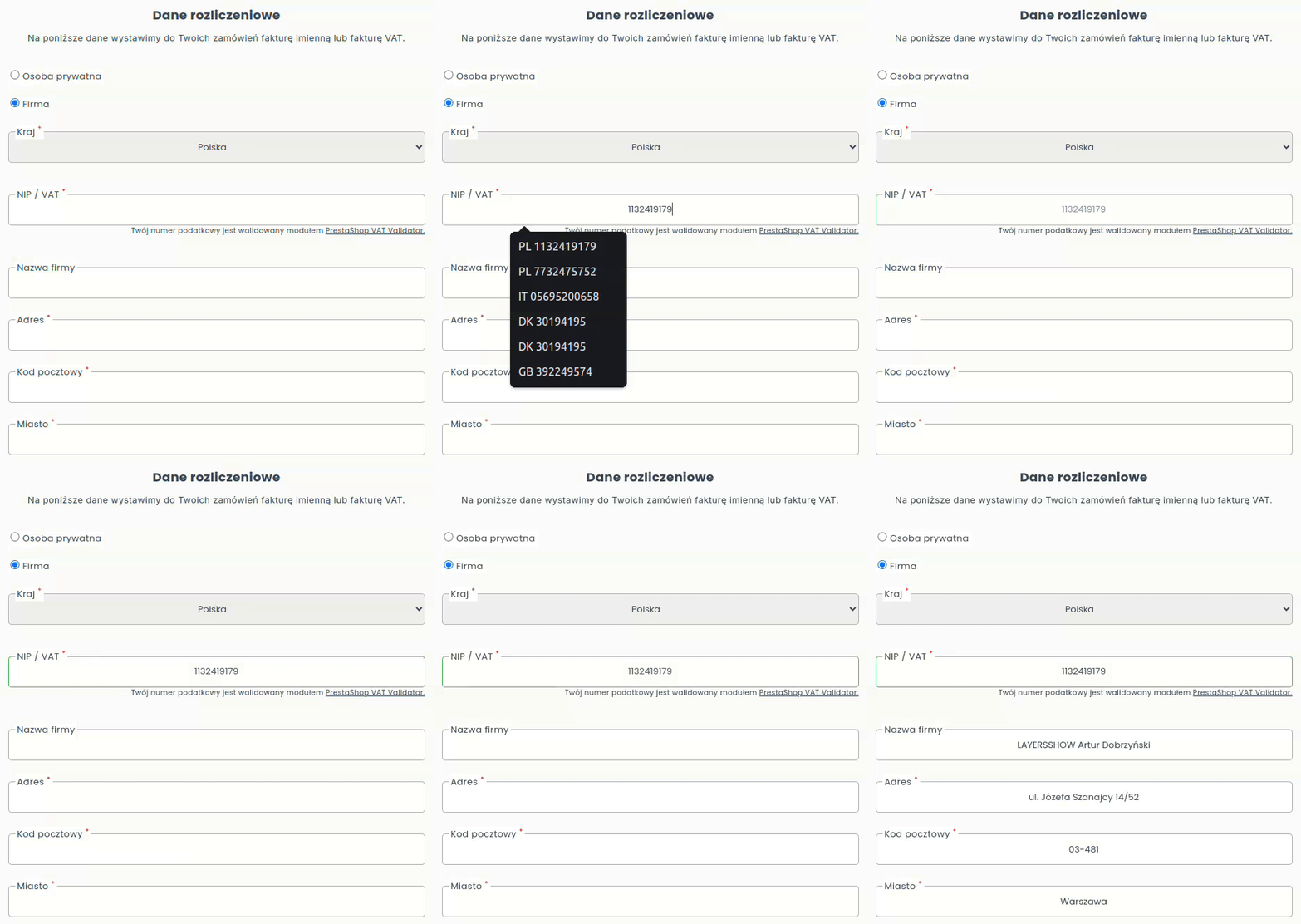
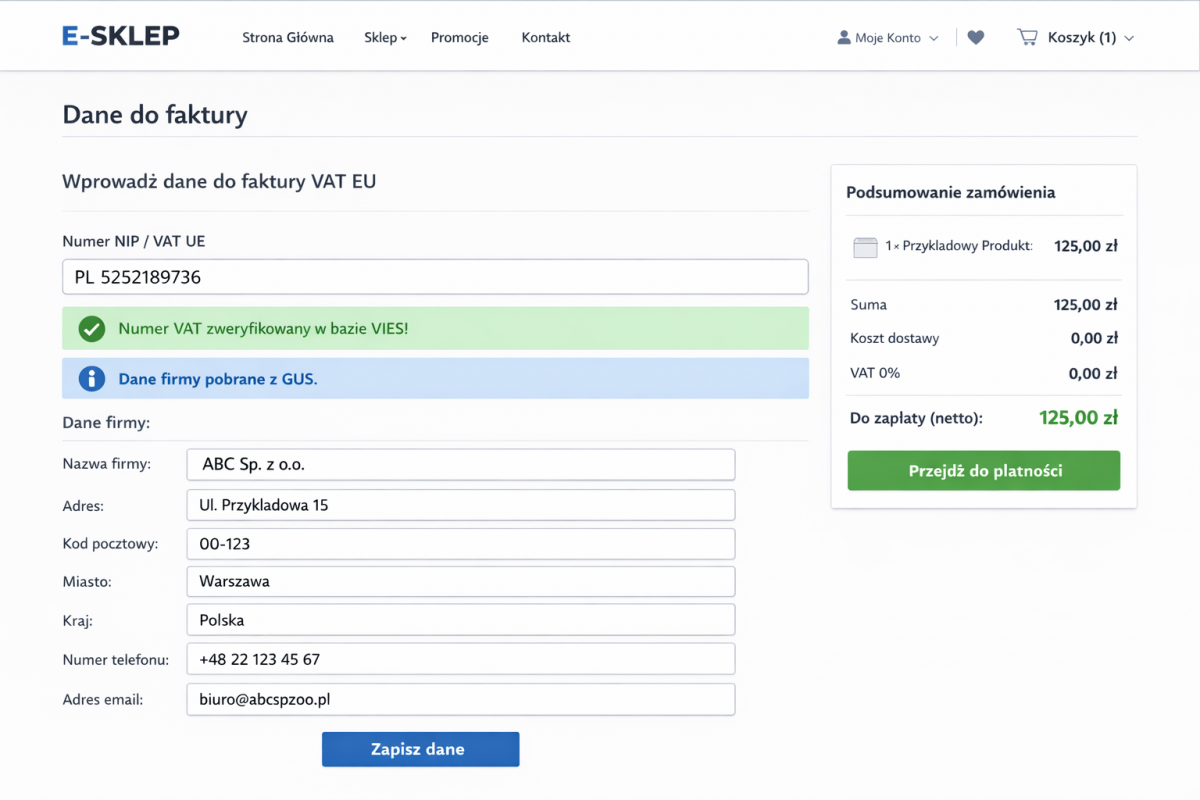
Validation of the tax number entered by the customer takes place in real time and does not require reloading the page.
1
Pre-verification
Recalculating the checksum and correcting the entry, removing unnecessary characters and completing the country code.
2
Verification in tax databases
The module checks the tax number in official tax number databases
3
Downloading data from the Central Statistical Office
Automatic completion of the form with address data after entering the tax number.
The module integrates with the largest official tax number databases:
VIES
Verification of tax numbers in the official database of the European Union
- VAT
- VAT-EU
VATapp
Backup verification of tax numbers in the European Union
- VAT
- VAT-EU
GOV.UK
Verification of tax numbers in the UK (Wales, Ireland, Scotland, United Kingdom)
- Company number
- VAT-UK
GUS
Verification and completion of company address data in Poland
- NIP
- VAT-EU
If you want to check your tax number in other countries' tax number databases - open a request on HelpDesk.
The module will detect address forms in the order, during account registration and when editing addresses in the customer account.
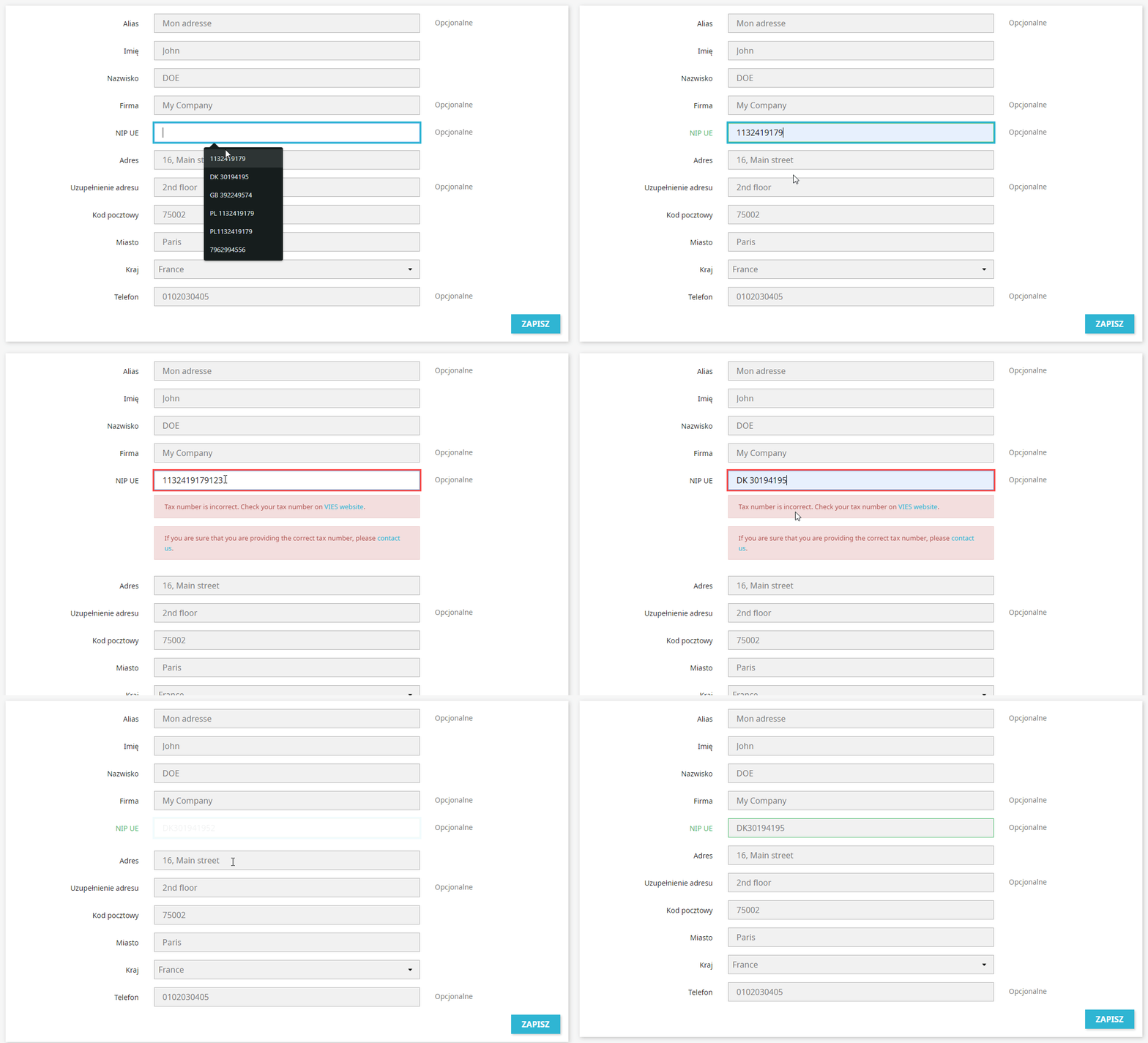
Correct validation
If the tax number is correct and active, the field will be highlighted in green.
Erroried validation
If the tax number is incorrect or inactive, the field will be highlighted in red with an error message.
Simple configuration
In the module configuration, indicate the home country of your store and select the countries for which you want to check the tax number.
0% VAT rate automation
Charge VAT 0% for orders from outside your home country, but only with a verified tax number.
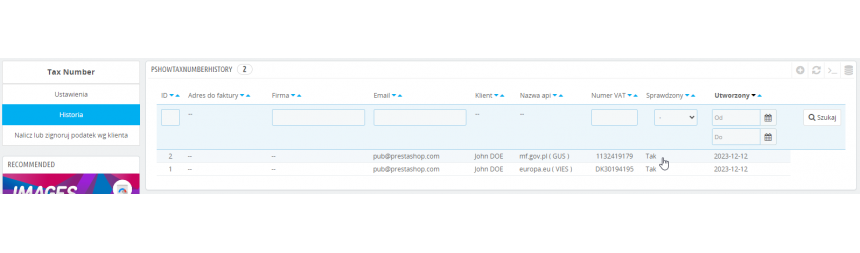
Validation history - your security
In the module, you will find tax number validation history and response history from VIES and VATapp systems.
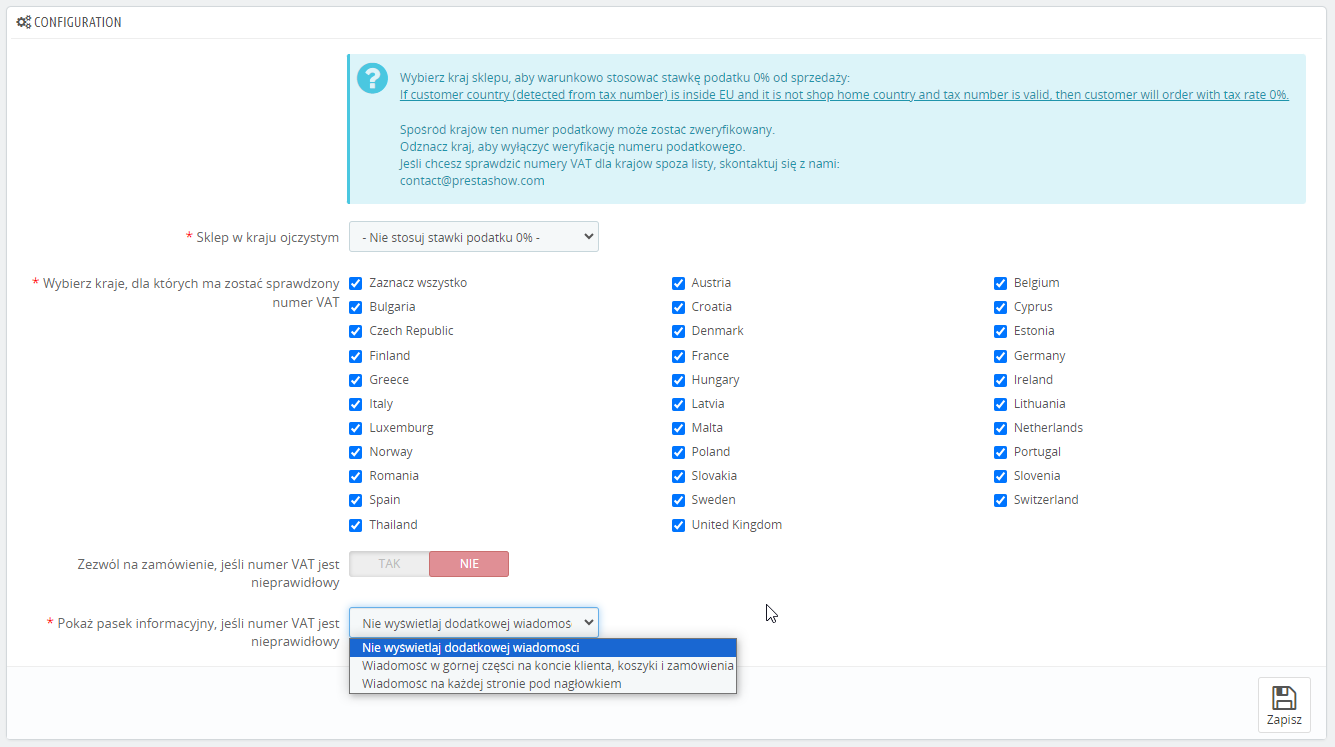
Automatic 0% VAT Application
A foreign customer who does not provide a valid tax number can place an order as a private individual and will be charged VAT.
Exclude selected customers
- You can indicate countries for which tax number validation will not take place - always charge VAT 0%.
- You can indicate customer accounts for which VAT 0% will always be charged, regardless of the result. validation of their tax number.
- You can indicate customer accounts for which the correct tax will always be charged.
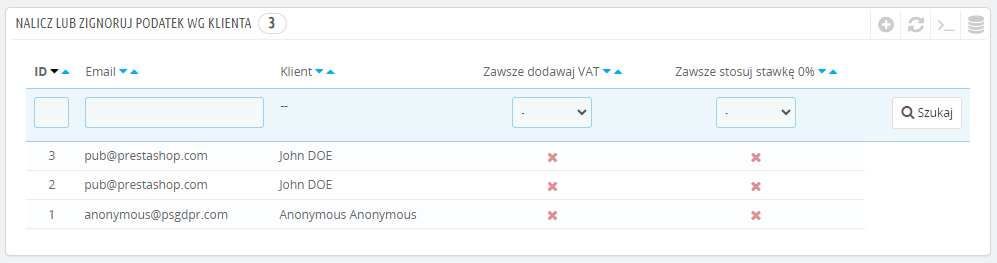
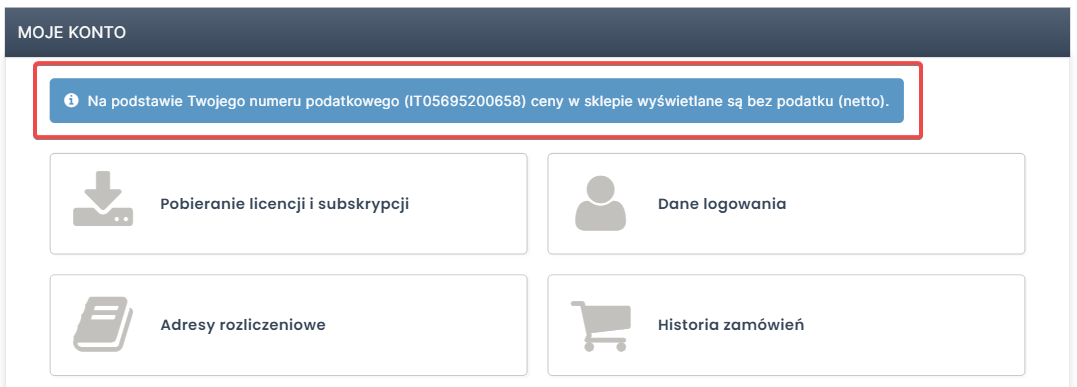
Messages
If a foreign customer passes validation, the module will display a message in My Account about the 0% VAT rate that will apply to purchases in your store.
In the module configuration, you can choose which messages you want to display for the customer:
- 0% VAT rate message in My Account / in the shopping cart / when placing an order.
- Information at the top of the page throughout the store.
- Information only when editing the billing address.
Validation process of saved tax numbers in customer addresses:
The module validates all tax numbers saved in the addresses on the customer's account, including addresses added before the installation of the module.
Validation of the tax numbers saved in the customer's account is done in the background, when the customer logs in to your store.
If any of the tax numbers on the customer's account turns out to be inactive, the module will display a message to the customer with the information.
ERP programs
Programs, such as ERP will retrieve from your store the correctly formatted and active tax number and the corresponding VAT rate.
Satisfied customers and accountants
You will not lose foreign customers who expect orders with 0% VAT.
Module: PrestaShop Invoices and E-Paragraphs
Invoice sales directly in your PrestaShop store.
Check out our module for invoicing sales and issuing E-Paragons.
Issue all types of invoices and E-Paragons directly in your PrestaShop store, and give your accountant a PDF invoice package and 1 file to import invoices into her accounting software.
Technical Requirements
- PHP 7.1 - 8.x
- Server extension ionCube Loader
- PrestaShop Importer only: PHP libxml version > 2.9.3
- PrestaShop Facebook Integrator only: PHP 7.2 or higher
- PrestaShop VAT Validator only: PHP SOAP
Support = Updates + HelpDesk
You get 90 days (3 months) access to the complete PrestaShow support package.
Module updates
Modules will inform you about available updates. Read the changelog and perform a 1-click module update directly from your store.
HelpDesk panel
This is the panel where we will provide you with help. On HelpDesk you can report problems, order free module installation and updates, and order modifications and custom programming work.
Extend support
After support expires, you can use the module without any restrictions. You can extend your support access at any time you need it.
Knowledge Base & FAQ
Free forever
The knowledge base is available to everyone. You will find module documentation as well as instructions, videos and answers to frequently asked questions.
Lifetime license for the module
- You can use the module without limitation in 1 store = 1 domain.
- You can use an additional domain, e.g. for developer copy.
- For a small fee you can change the domain for the module yourself.
Additional domains for Multistore
- All our modules support PrestaShop Multistore.
- Supporting unlimited domains for PrestaShop Multistore requires purchasing multistore support for the module.
Modifying the code
- The module code related to the integration with the store and the design (.tpl, .css, .js) has open source code and you can modify it freely.
- The module's source code (.php) is encrypted with ionCube, and modifying it will void the warranty.
Demo - test the module
- You can test the module in our demo store.
- You can find the link to the demo store in the top section of ⬆️.
- If you have any problems with the operation of the demo, please contact us
No entries yet.
Mam pytanie: czy planujecie autouzupełnianie danych o firmie na podstawie podanego numeru NIP z GUS? :-)
Gdyby coś się działo skorzystajcie z helpdesk.prestashow.pl
- robię zakup i podaję NIP UE, odlicza się VAT (stawka 0% się ustawia)
- przez finalizacją zakupu cofam się do formularza adresu i dodaję nowy adres, tym razem bez NIPu (a co tam, jednak chcę kupić prywatnie)
- pomimo że pole NIP jest puste i oznaczone jako opcjonalne, wyskakuje błąd że NIP nieprawidłowy
. - Nie mieliśmy okazji testować, ale jeśli Twój moduł używa standardowych mechanizmów PrestaShop do przetwarzania adresów, działanie modułu powinno być prawidłowe. Jeśli będzie inaczej - wycenimy dostosowanie działanie modułu do Twojego koszyka.